
Hiiii. I’m here today with some new findings in my research journey as a software engineer. Lately, I was using the “RefactoringMiner” tool to find occurrences of the migration from "standard" loops to "Streams" in real-world projects.
It’s easy to track syntax changes, but much harder to tell whether a refactoring really preserves behavior.
In this post, I explore the capabilities of RefactoringMiner in identifying transformations from imperative loops to Java Streams. By analyzing real-world scenarios and systematically categorizing them into eight distinct cases, I evaluate how well the tool captures semantic equivalence—not just syntactic changes.
While RefactoringMiner proves to be powerful in many cases, my findings reveal several subtle but important situations where it misclassifies transformations as behavior-preserving refactorings.
Introduction
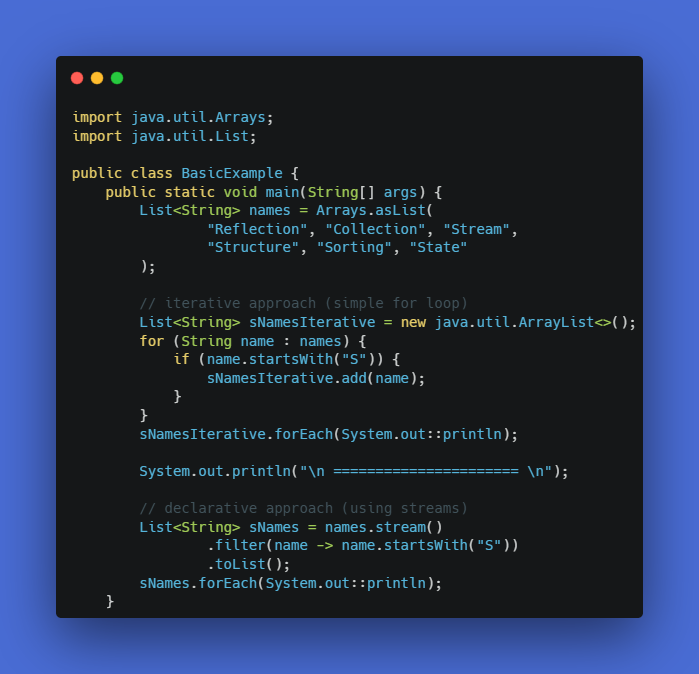
Since Java's birth on May 23, 1995, it has changed a lot. One of these changes, which we can consider it a a huge improvement in Java, is the “Stream” concept. Streams provided us with many benefits, such as parallelization, more concise code, and lazy evaluations. I provide a simple example in the code snippet below.
As a consequence of these major changes in Java, such as the stream concept, some tools have been developed to help us with automatic or semi-automatic refactoring. One of these tools is RefactoringMiner.
In this blog post, I am going to focus on the features they have provided for detecting improvements when transforming simple iterative Java code into a streamified version.
Findings
In fact, I found this tool very strong, at least in my case, which is finding a stream transformation of an iterative Java code. They built a semantic-aware AST differencing approach that goes beyond syntax by restricting matches to semantically compatible nodes (not just same AST types), restructuring the AST when needed, and enabling more accurate mappings (including multi-mappings) to produce meaningful, behavior-preserving code diffs.
Also, I should mention that they have provided several ways to use their tool.
- You can download their tool from GitHub, and after building it, you can either use the local version (i.e., download it and have the project you want to check on your local machine).
- Or use the online version; no need to download the project. You should provide a GitHub token so it can fetch the required data remotely.
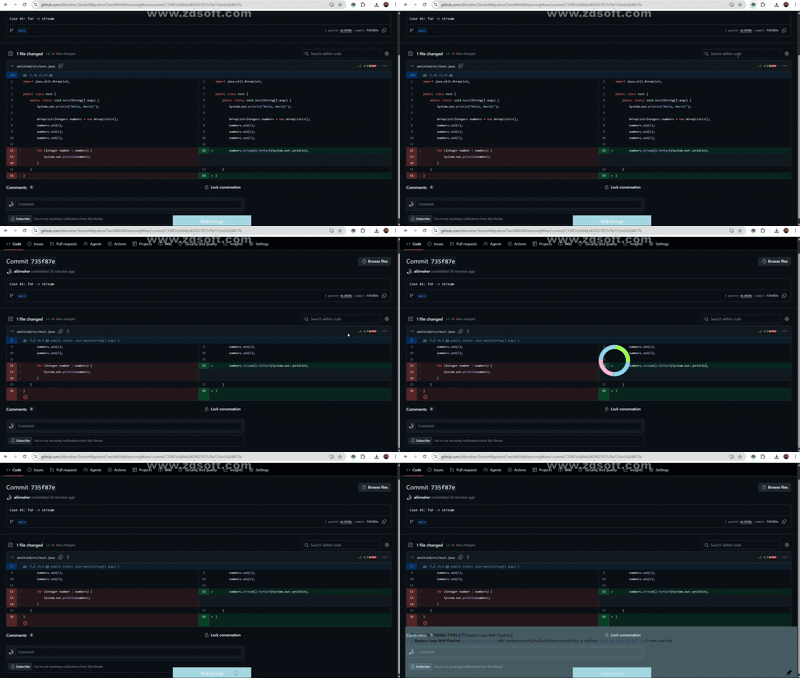
- CHROME EXTENSION. They even think very accurately about lazy people like me. It is as easy as clicking on a button, and it will show you the analysis. I provided an example (see the GIF below).
Although their approach is very powerful, it still has some weaknesses. They mentioned these weaknesses in their paper in general terms, and they didn’t go any deeper into the real-world cases I provided.
I worked with the tool, and based on the concept, I divided them into 8 cases:
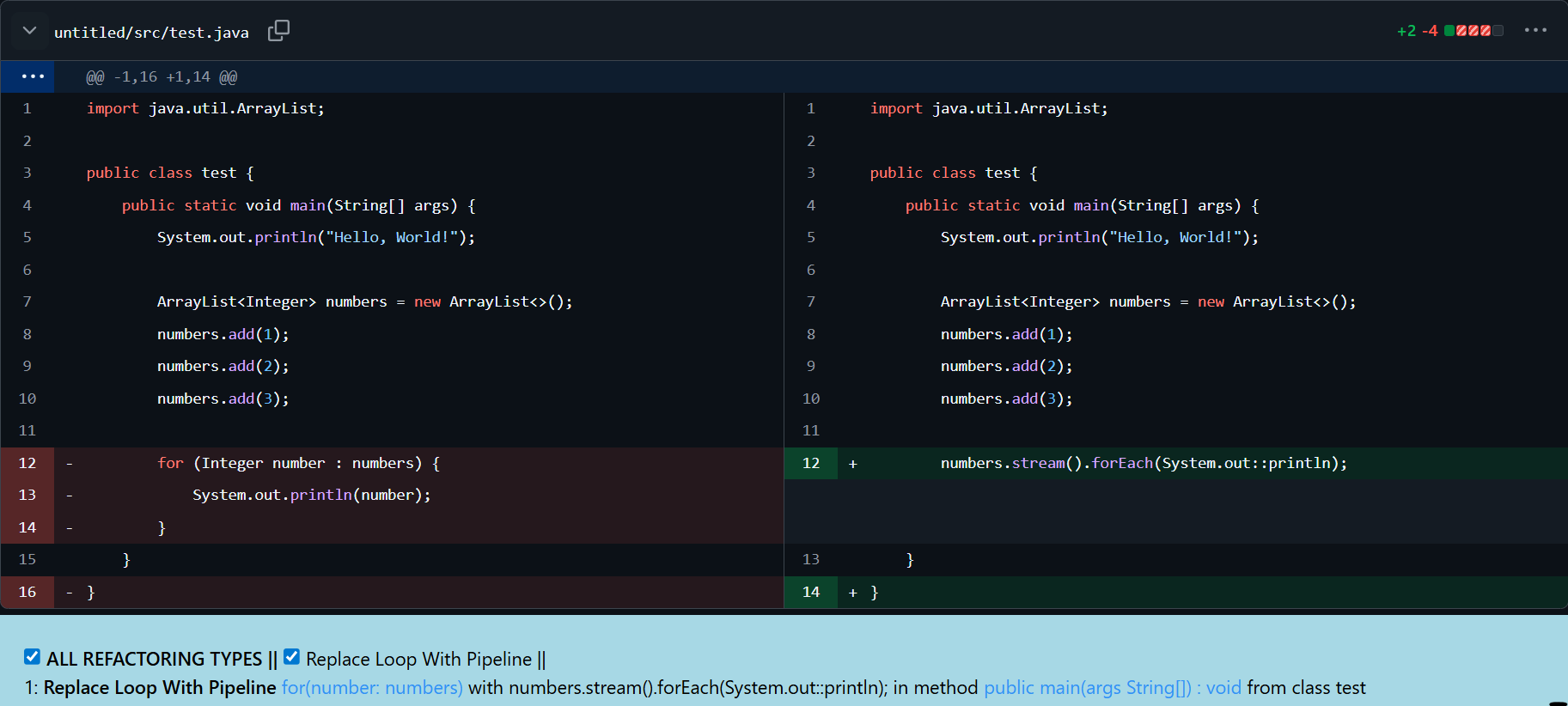
- Conversion of For Loop into Stream.
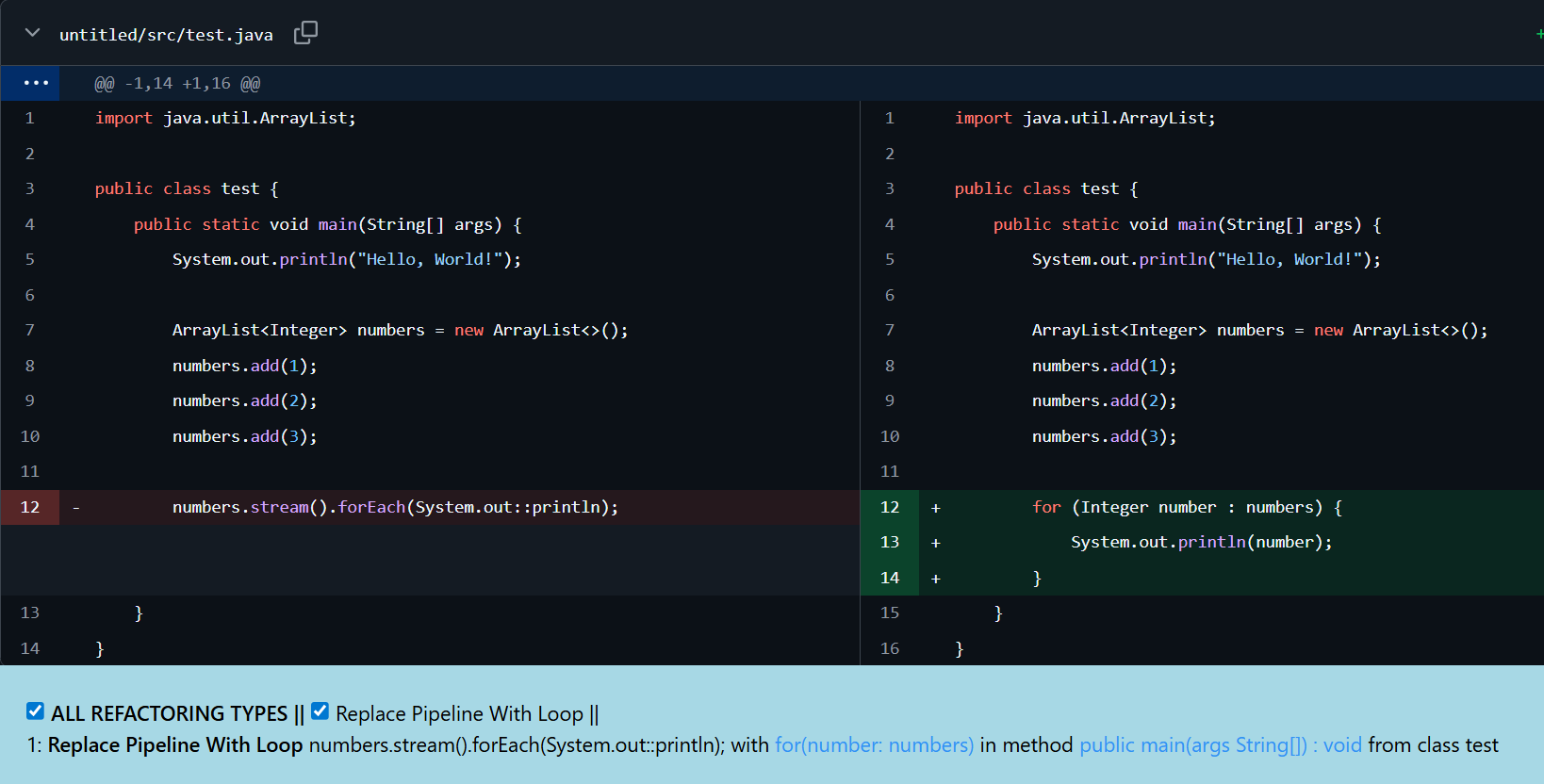
- Conversion of Stream into a For Loop.
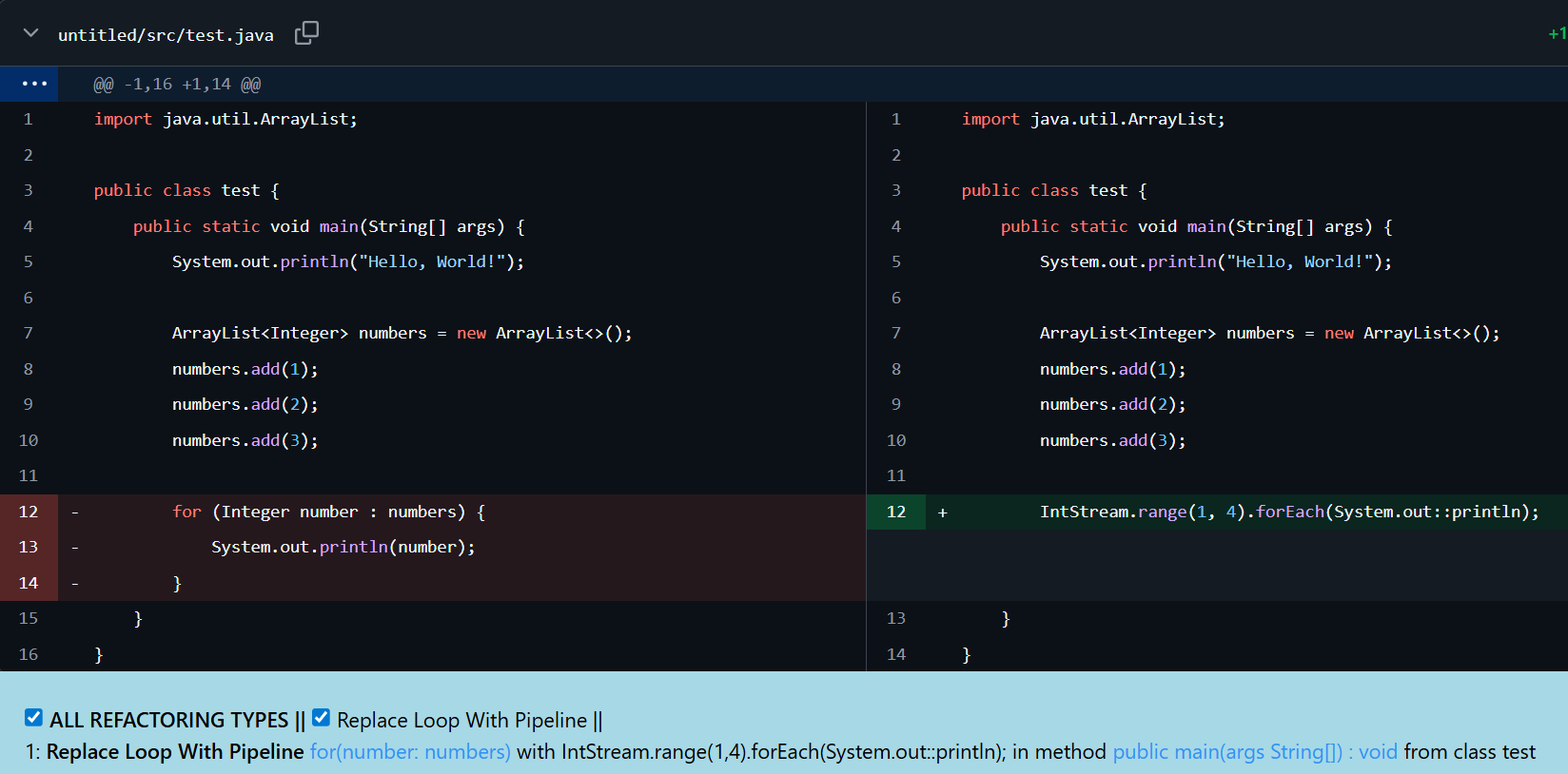
- For Removal, Stream Added, Same Semantic.
As we see in the following example, we are not using the numbers variable at all, removed the for loop, and added a stream which has the same semantics. The tool is finding this, which is perfect.
- For Removal, Stream Added, Semi-Same-Semantic.
For this case, I provided different potential scenarios. In case 4.1, Figure 5, the tool detected them as the same. However, these two return different outputs: the left code will print 1, 2, 3, the right one will print 0, 1, 2. But both of them are iterating on a sequence of three numbers. That's why I called them "semi-same-semantic". So, this is the first situation in which this tool doesn't perform well.
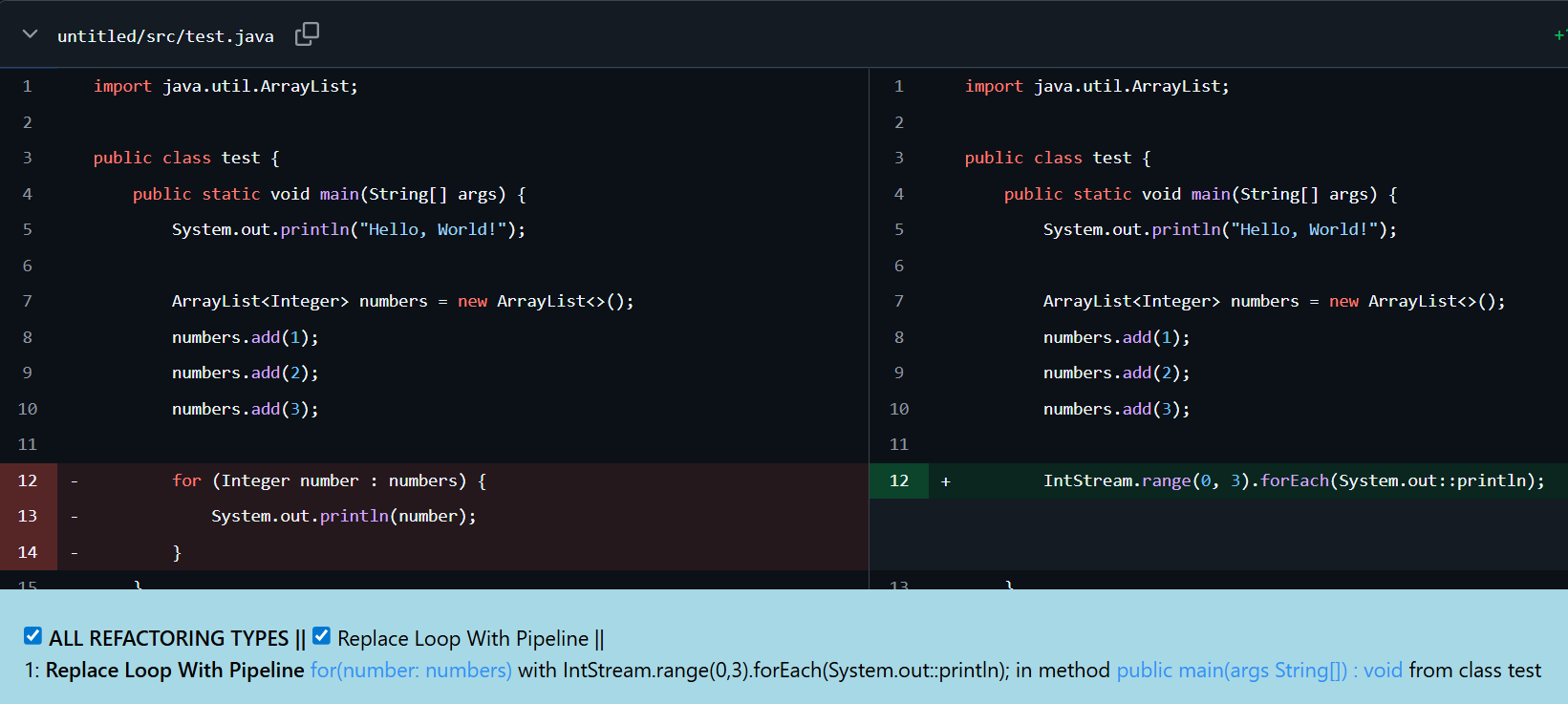
We have the same for the following case, case 4.2, Figure 6.
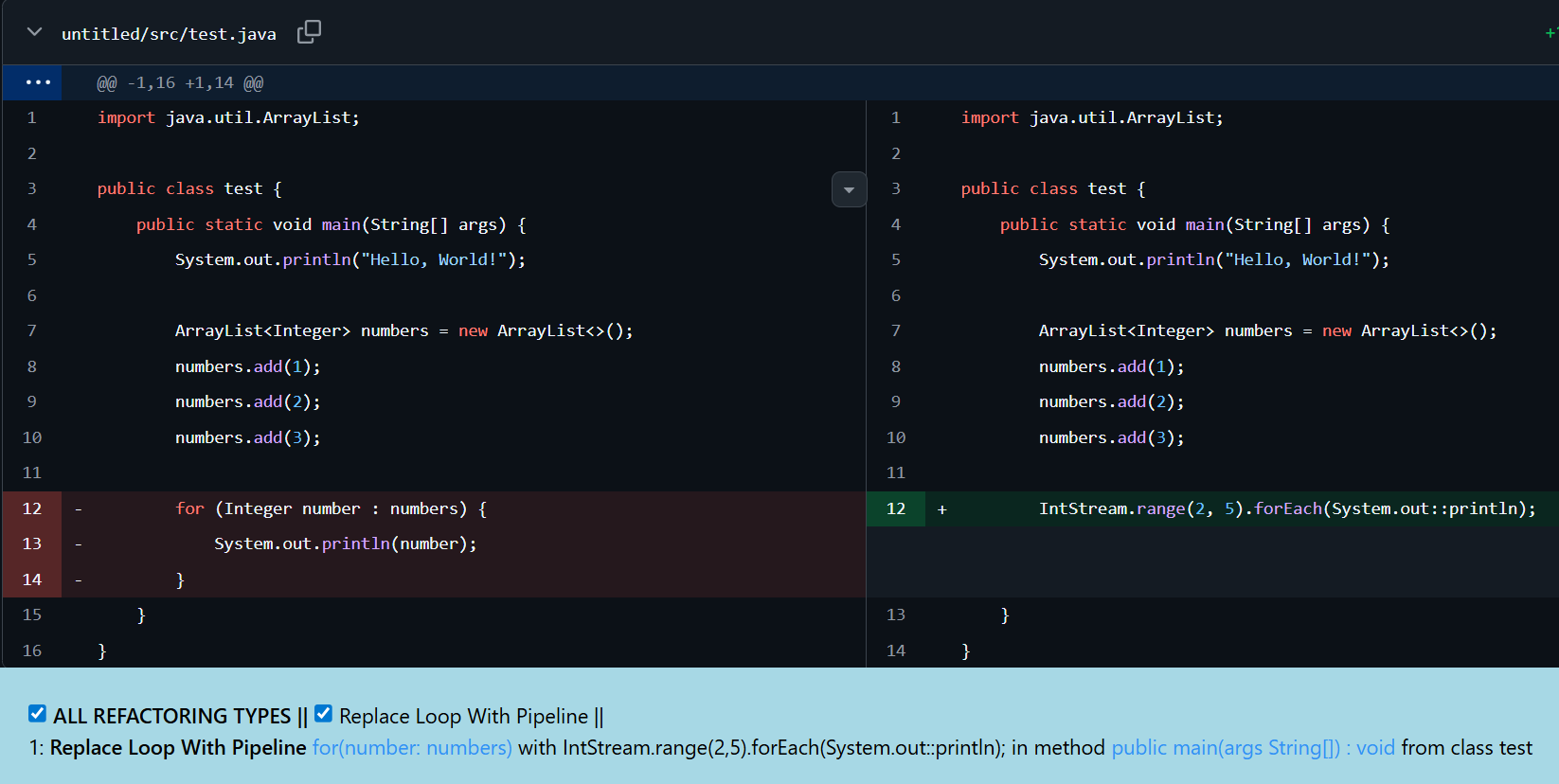
But in the following case, case 4.4, Figure 7, we see some even more stranger result. They don't have the exact length for their sequences, but the tool again considers them as having the same semantics and logic, which is wrong.
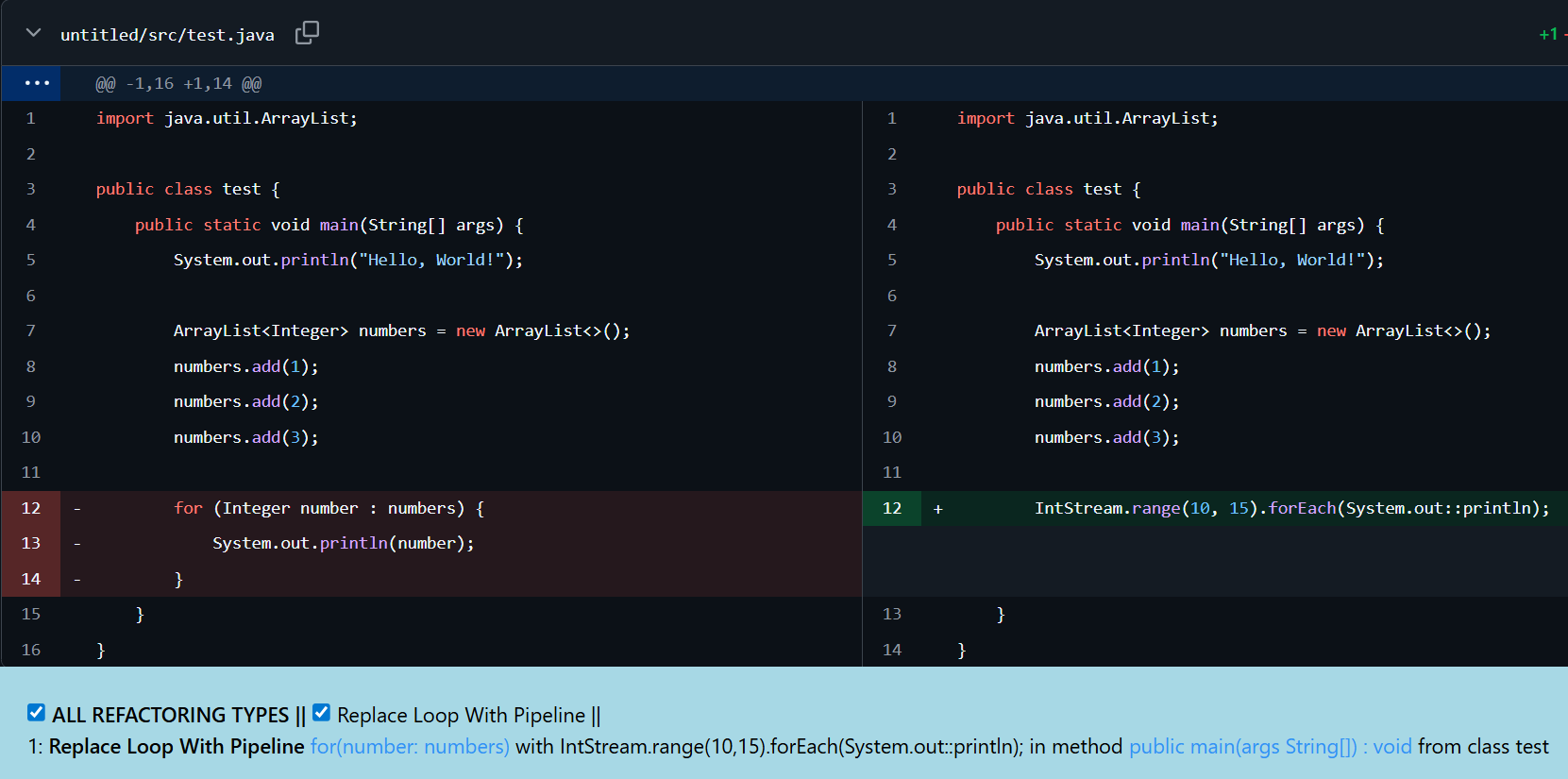
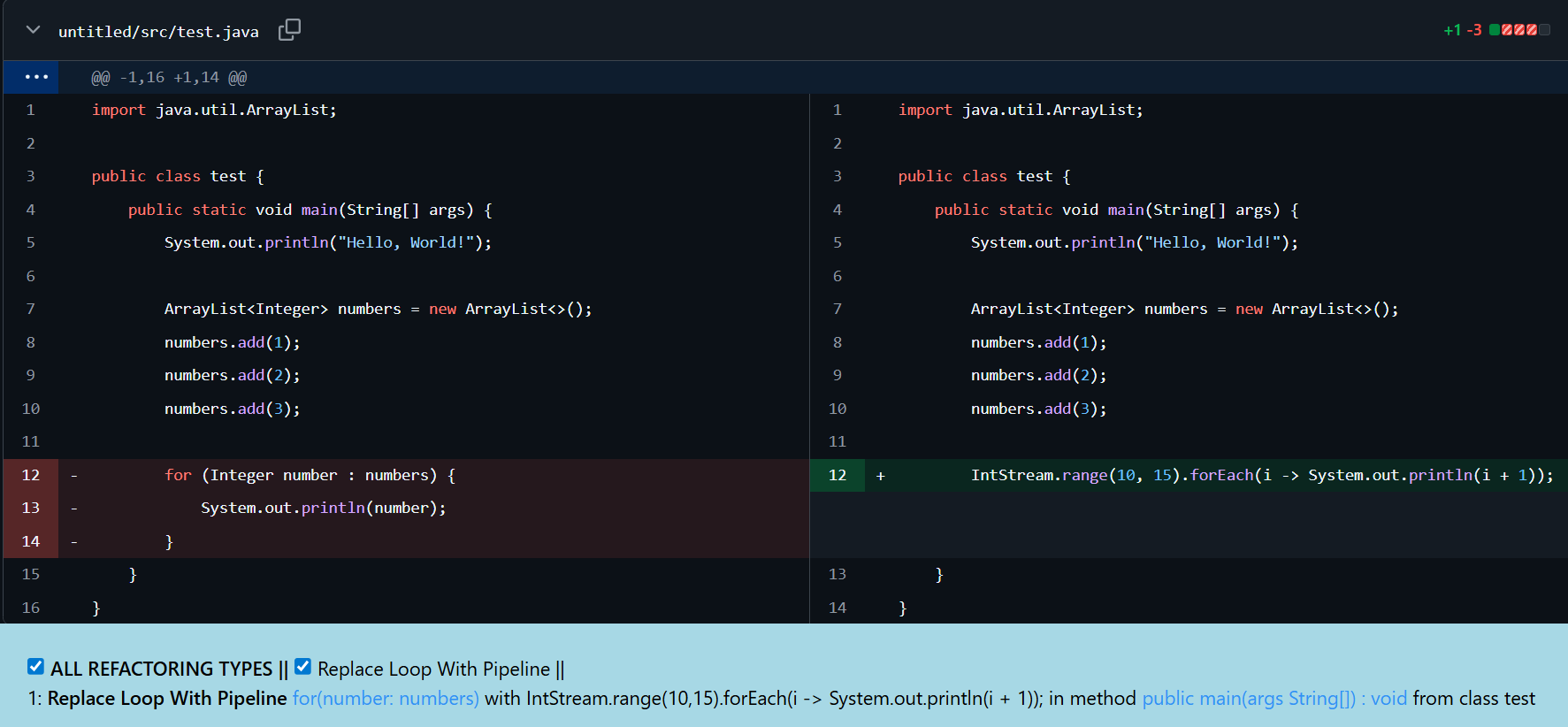
- For Removal, Stream Added, Different Semantic.
In this case, we see that we are about to delete the for loop, and adding a stream logic with different semantics, but the tool considers them as having the same semantics. It is probably because of seeing the System.out.println in both of them.
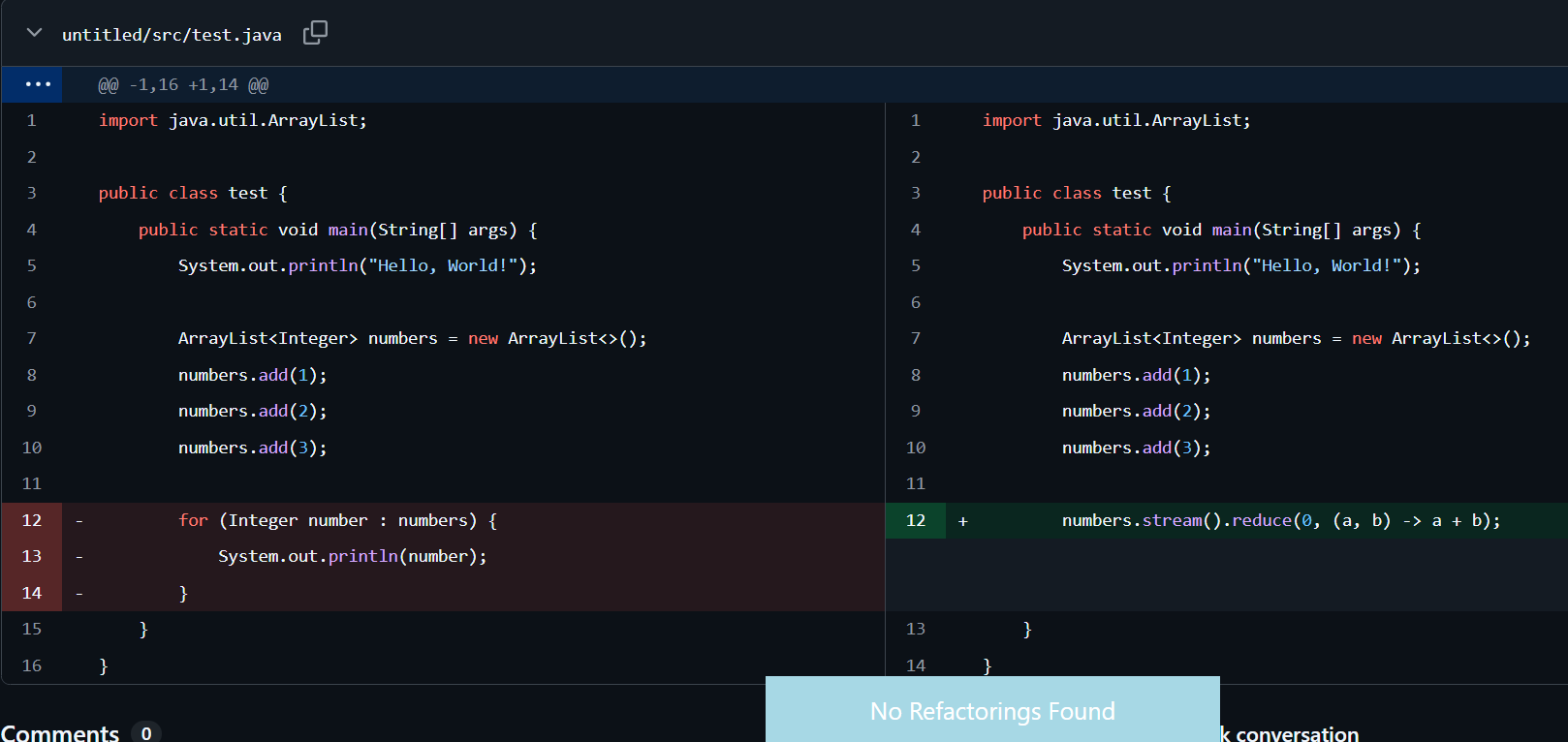
In the following case, we have a completely different logic, and the tool understands it well, and considers it as no refactoring, which is correct.
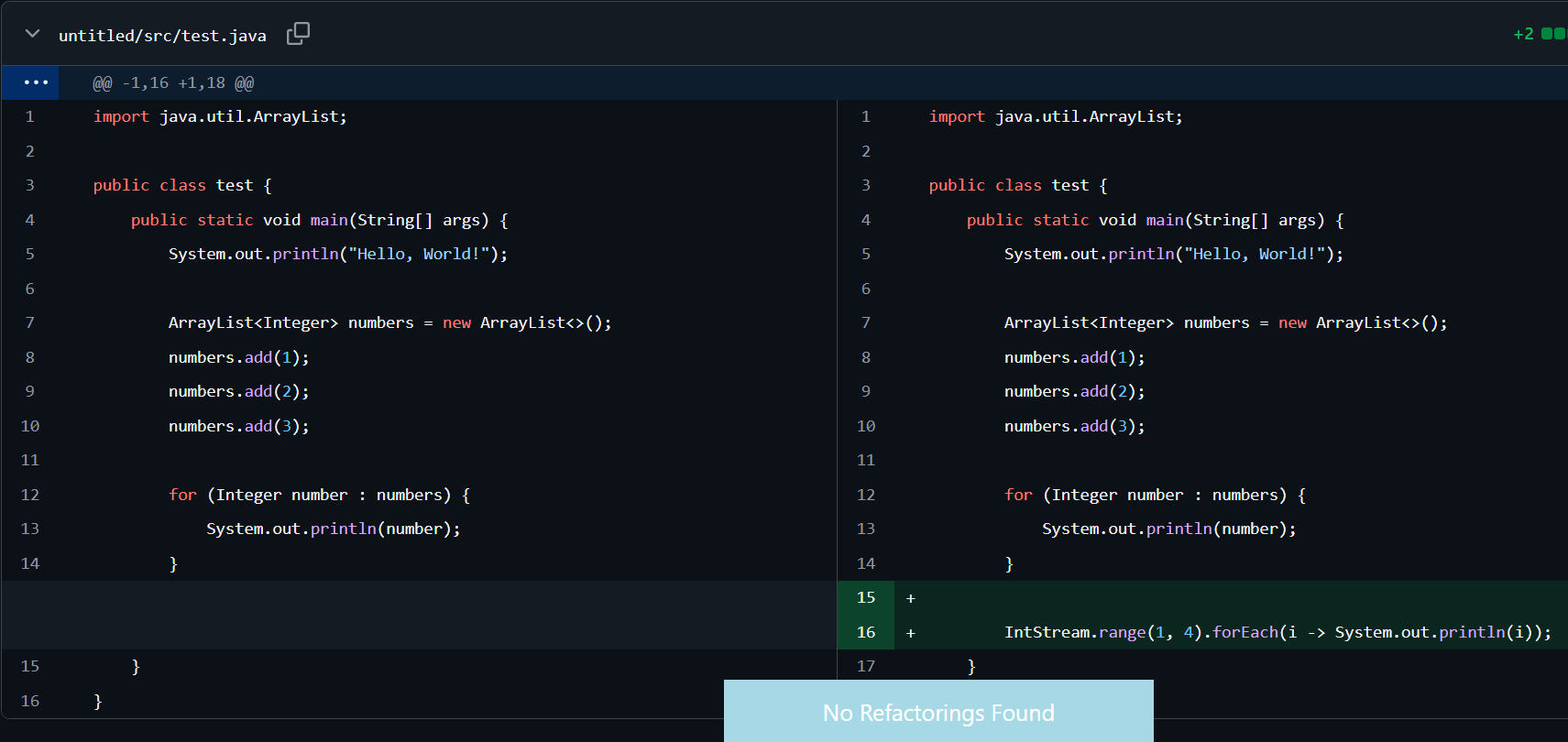
- Keep For Loop, Stream Added, Same Semantic.
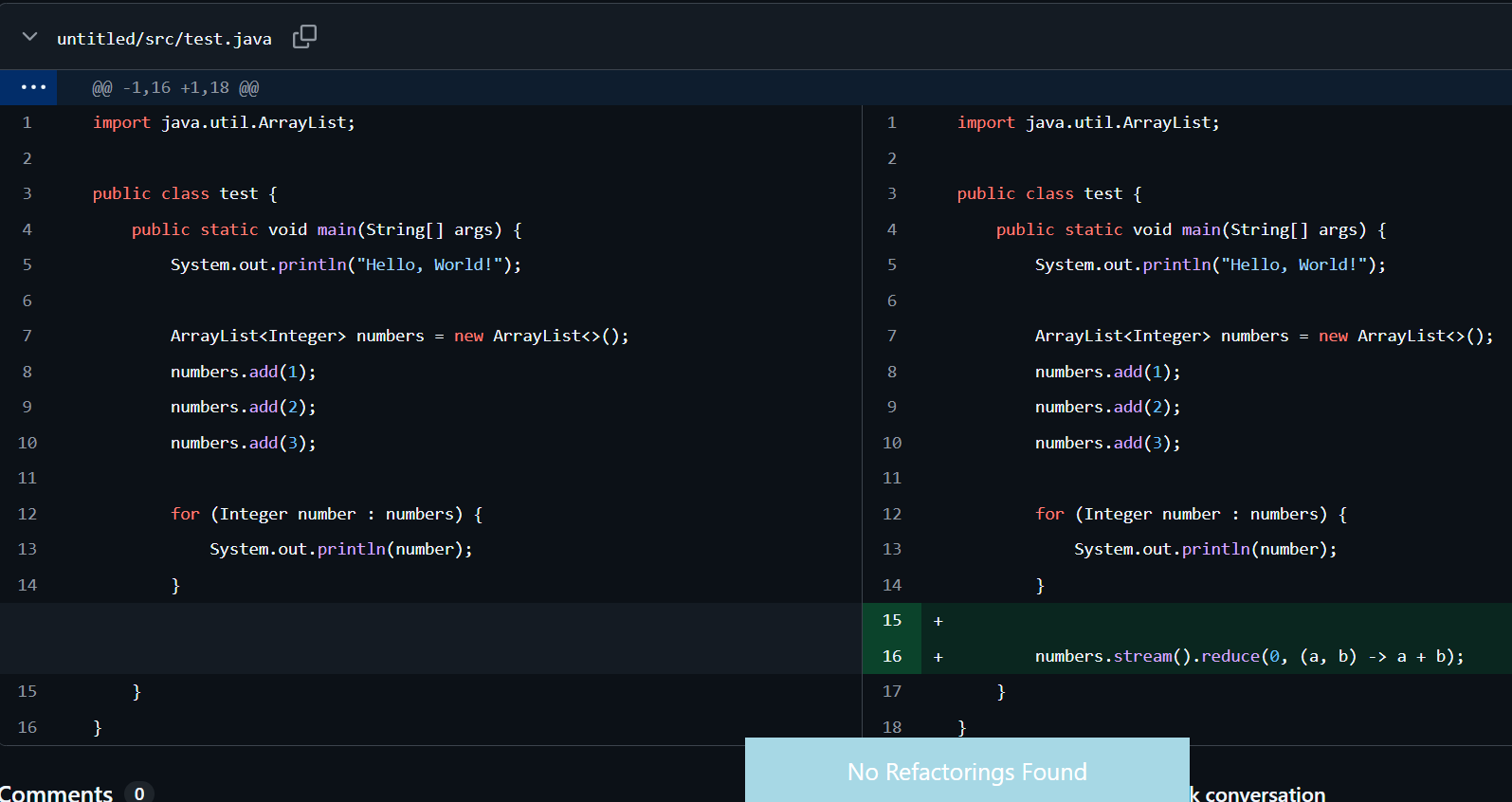
In this case, in Figure 10, you can see that we keep the for loop, we add another stream logic with the same semantics, and the tool found no refactorings, which is good again.
- Keep For Loop, Stream Added, Semi-Same-Semantic.
Figure 11 again reveals no refactoring, which is good.
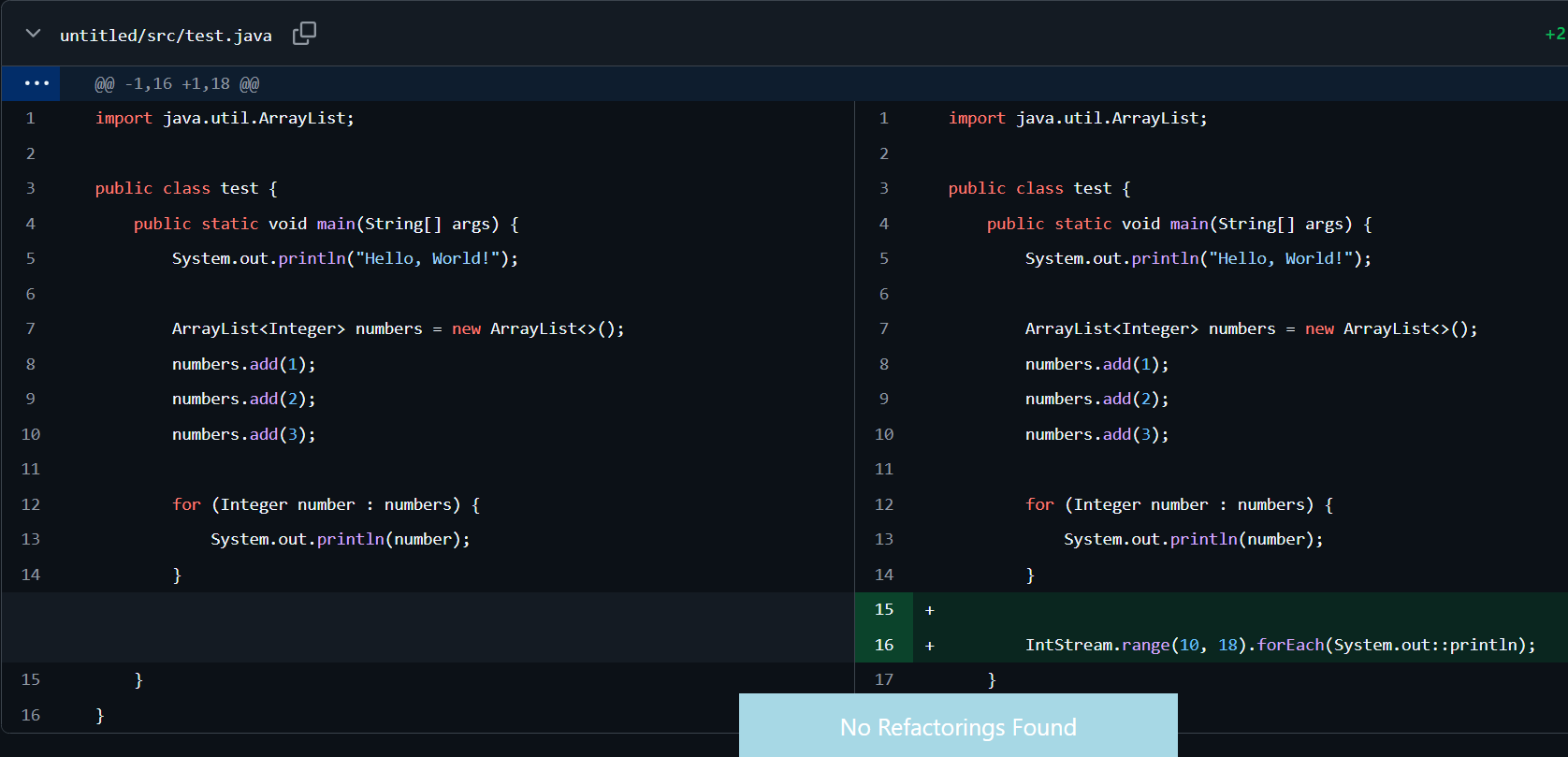
- Keep For Loop, Stream Added, Different Semantic.
In this case, we kept the loop and added another entirely different logic using streams. We see no refactoring again. Perfect!
Conclusion
Let's recap what we observed. We analyze the Refactoring Miner tool for stream migration across 8 cases. And we realized that the tool mistakenly detected some cases as refactoring: Cases 4.1, 4.2, 4.4, 5.1. Finally, this is a really strong tool, but it has some defects in stream detection, so be careful.
GOF:]
References
 tsantalis
https://dl.acm.org/doi/full/10.1145/3696002
Also, my codebase is available at the following GitHub link.
