Over the last couple of years, something interesting has happened. More people are questioning the software they use every day.
Microsoft has faced criticism over Windows updates, the growing amount of advertising, and AI features built into the operating system [1][2]. Google keeps pushing users further into its ecosystem while expanding data collection across its services [3]. Apple offers a good experience, as long as you stay inside the Apple ecosystem. The moment you want to leave, you discover how much of your workflow depends on one company's decisions.
At the same time, subscription costs keep climbing [4]. Cloud storage, music streaming, video streaming, communication apps, AI services: almost everything now comes with a monthly bill. Individually, these subscriptions might seem affordable, but together they add up fast. Streaming services have made this worse by splitting into tiers. Pick the cheapest plan, and you'll still sit through ads during your movie or show [5][6].

As a result, more people are looking for alternatives. Linux has attracted many new users, some just curious to try something new, others determined to leave Windows behind [7]. Firefox, Brave, Vivaldi, and other browsers have gained attention among people seeking options beyond Chrome. Open source used to be a niche interest; lately it's becoming a practical choice for people who want more control over their computers and data.
For some, switching to open source is only the beginning. The next step is running those services yourself. That's where homelabs and self-hosting come in. Instead of relying on someone else's servers, you run applications on hardware you own. You decide where your files live, how your backups work, what software you install, and when you update it. You trade some convenience for independence, privacy, and a much better understanding of the technology you use every day.
That doesn't mean giving up every convenient service overnight. A homelab lets you decide, case by case, when a company's server is worth the convenience and when it's not.
My own motivation was simple. I realized how dependent I had become on Apple's ecosystem. Everything worked well until I imagined replacing one device with something that wasn't made by Apple. That's when I noticed how many parts of my daily workflow relied on staying inside that ecosystem.
On top of that, I was just tired: tired of apps that get buggier with every update, tired of subscriptions that quietly pile up, tired of ads showing up in services I already pay for. I also wanted a real reason to learn the things I'd only read about, like Linux administration, networking, Docker and containers, and running my own databases and servers.
I started replacing Apple's default apps with open-source alternatives, and eventually I became interested in self-hosting some of those services while building a small homelab. I recently got my hands on an old desktop computer, and that's what I'll be using for these first experiments.
Hardware and Operating System
There's no need to spend money on hardware, especially when you're starting out. An old laptop or desktop you already own is enough to explore most of what follows. If you want to buy something dedicated, a used computer, a mini PC, or a Raspberry Pi are all solid, inexpensive options, though it's worth knowing that RAM prices have spiked sharply in 2026 because of AI data center demand [8], so new components cost more than they used to. None of that matters much if you're repurposing hardware you already own.
Of course, as you get further into this, you'll probably want, or need, more hardware: more CPU power, more RAM, more storage. Once you reach that point, the list of things you can add to a homelab gets long. Dedicated server computers, network switches once one router isn't enough, a NAS for bulk storage and backups, even a rack to keep it all organized as it grows.
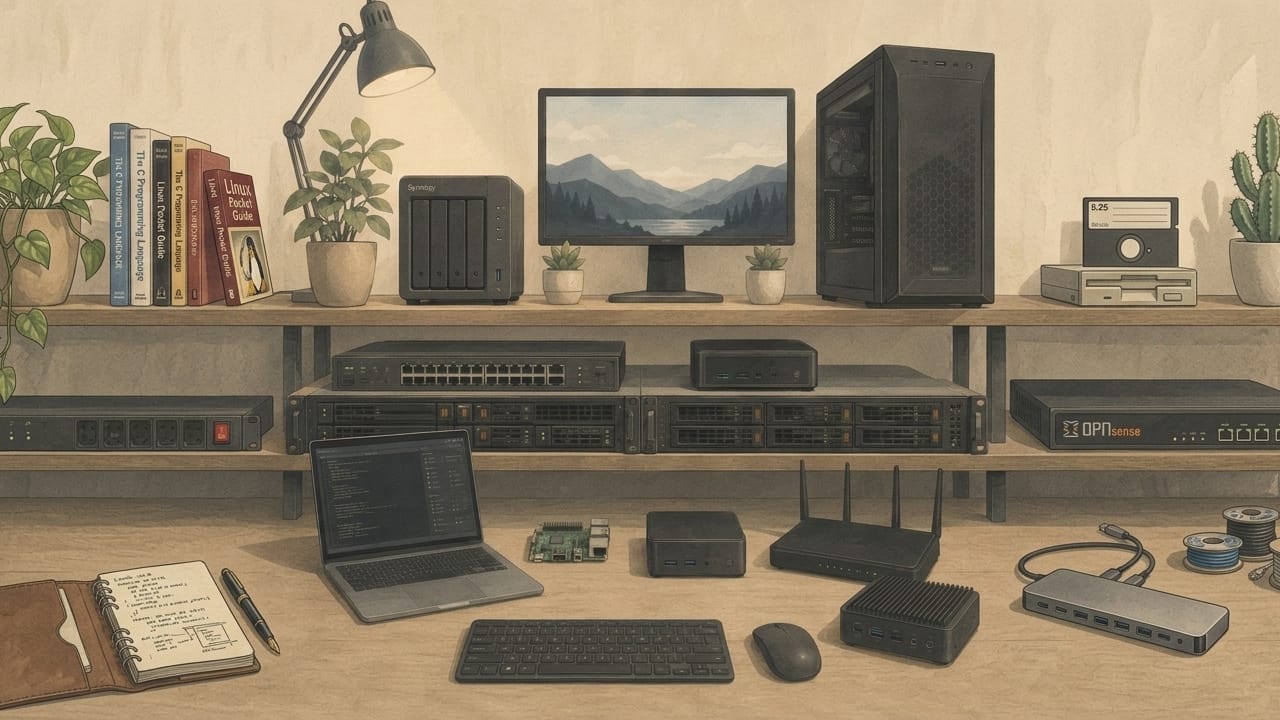
For the operating system, the default choice is a Linux distribution built for servers. Ubuntu Server, Debian, or Rocky Linux are good options. There are also virtualization platforms like Proxmox VE, which let you run several isolated services on one machine, though it asks a bit more of your hardware than a plain server OS.
These operating systems are generally light and don't need powerful hardware to run. If you're completely new to Linux, or want to experiment with software that needs a graphical interface, an OS with a full desktop environment, such as Linux Mint, Ubuntu Desktop, or Zorin OS might be an easier starting point.
What You Can Actually Do With a Homelab
Here are four of the most common starting points, ordered from the lightest and easiest to the more demanding (for what I expect 🙂).
Network-Wide Ad-Blocking
This is the easiest project on this list, and often the first thing people run in a homelab. Pi-hole and AdGuard Home work as a DNS sinkhole: every device on your network (phones, laptops, smart TVs, game consoles) sends its traffic through them, and ads and trackers get blocked before they ever load. Pages feel faster, and you get a level of privacy that a browser extension can't match, since it covers every device on your network, not just the one you installed it on.
Hardware: Minimal. This runs comfortably on a Raspberry Pi Zero, an old router-class device, or a spare virtual machine with barely any resources. If you only try one thing from this list, make it this one.
Level of difficulty: Low. A guided install and a couple of router settings, and it's running. Good first project even with no Linux experience.
Home Automation Hub
Home Assistant lets you centralize your smart home devices, such as lights, thermostats, sensors, and cameras, under one system you control. Instead of your smart plug depending on a company's cloud servers and app (which can slow down, change their terms, or shut down entirely), your automations run locally. That means your lights still turn on at sunset even if your internet goes out, and your usage patterns aren't being logged somewhere you can't see.
Hardware: Very manageable. Home Assistant officially supports the Raspberry Pi, so a basic setup runs fine on modest hardware. It gets heavier if you add camera-based features like person or object detection (tools like Frigate), those benefit from a more capable CPU or a dedicated accelerator.
Level of difficulty: Low to moderate. The base install is mostly point-and-click, but connecting different device brands and writing your own automations takes some patience.
Media Server
A media server turns your personal collection of movies, shows, and music into something you can stream to any device in your home — no subscription required. Plex, Jellyfin, and Emby all do this well, with Jellyfin being fully open source if that matters to you.
Hardware: It depends on what you ask it to do. Playing files directly, without any conversion, works fine on modest hardware. The demands go up when the server has to transcode (converting a file on the fly for a device that doesn't support its format), or when serving multiple people at once. If transcoding matters to you, look for a CPU with built-in hardware transcoding support (like Intel Quick Sync) rather than relying on raw processing power.
Level of difficulty: Moderate. Getting a library up and running is simple; organizing files correctly, setting up transcoding, and enabling remote access take more trial and error.
Personal Cloud Storage
Nextcloud and Seafile let you sync files, photos, and contacts across your devices, the same way Google Drive, iCloud, Dropbox or OneDrive do, except the data stays on hardware you control. This is the most direct answer to the ecosystem lock-in, cloud storage bills, and data collection concerns from the start of this post.
Hardware: Moderate to high. Nextcloud in particular runs a web server, a database, and often a caching layer, so it can feel sluggish on very limited hardware. Seafile is lighter and a better fit if you're working with modest specs. Either way, more RAM and an SSD instead of a spinning hard drive make a noticeable difference here.
Level of difficulty: Moderate to high again. More moving parts means more that can go wrong, especially around storage, backups, and exposing it safely outside your home network.
Conclusion
You don't have to replace every service overnight. Even moving one or two things onto hardware you control puts more of your data, and more of the decisions about it, back in your hands. Start with the easiest project, get comfortable, and add the next one when you're ready.
This post is mostly the overview and the motivation: why I'm doing this, and why it might be worth doing for you too. My own homelab is just getting started, on that old desktop computer I mentioned earlier, and I still have a lot to learn about Linux, networking, and self-hosting in general. That's really the point of this for me: learning by actually doing it, not just reading about it.
In the next posts, I'll cover my first real steps: what I set up, what broke, how I solved it, and whatever tips I pick up along the way.
References
[1] TechRadar – "Well done Microsoft, you've made me hate Windows 11 with your pushy ads"
[3] Syracuse Law Review – "Someone Is Always Watching: Implications of Google's WAA Privacy Case"
[4] eMarketer – "Streaming prices jumped nearly 20% in December. What's the tipping point?"